Discover my collection of smart apps designed to deliver accurate results, tailored to meet your needs. From the manufacturing floor to the weight room. Simple, powerful utilities.

Airbend Pro
A proven tool for precision sheet metal bending calculations. Specifically designed for air forming. Fast and accurate results for flat layout development and press brake set-up.
The Story Behind Airbend Pro
I was in sheet metal fabrication for the first 17 years of my career and then moved full-time into engineering for the last 23 years. My favorite job to this day was set-up and prototype man on the press brakes. I did a lot of prototyping, bending, and tooling development on the floor and I took that experience into engineering when I started CNC programming.
I originally wrote the BendCalc app almost 30 years ago for TI-89 graphing calculators, then HP48 calculators, then Windows Mobile. I finally took the initiative and recently rewrote the app renamed to Airbend to run on iPhones, Mac, Windows, and Android phones.
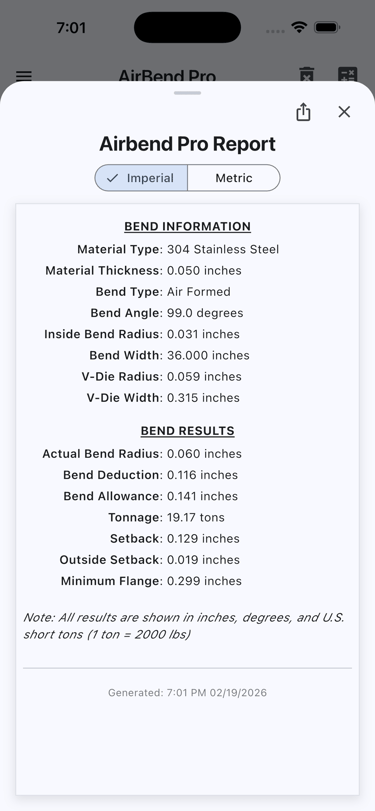
It will calculate the optimal die width, actual inside radius, bend deduction, bend allowance, bending force, setback, outside setback, and minimum flange length.
My main use of the app back then was to get that actual inside bend radius from the calculations and use that as the inside bend radius in SolidWorks with the k-factor (neutral axis) set to .44, and then export a flat layout from SolidWorks to our CAM program for CNC programming (punches, lasers, and combo machines). Very accurate flats for any material thickness, bend angle, and bend type. On the flat layout for the shop I would tell them which press brake punch and die to use and the bend deduction for each different bend. I also used the app to help the shop floor fix bad flat layouts by other programmers by telling the brake operators which die to use to correct for the wrong bend deduction.
I currently use the app to make sure that I am designing parts that are manufacturable by vendors by not exceeding the 80 and 100 ton limits of their press brakes, and not designing flanges that are too small to form without using special tooling.
The app will pay for itself the first time you need to develop bend calculations for a material, bend radius, and angle that you have not used before. The cost of the app is far less than the labor it takes to shear a test coupon, set up the press brake, and then bend the test coupon to get the bend deduction / bend allowance.
The app will not completely eliminate the need for test bends, specifically on bends that are to the extreme such as bending a thick material on a very narrow die width such as .125" thick stainless steel on a 12 mm wide die.
Airbend Pro
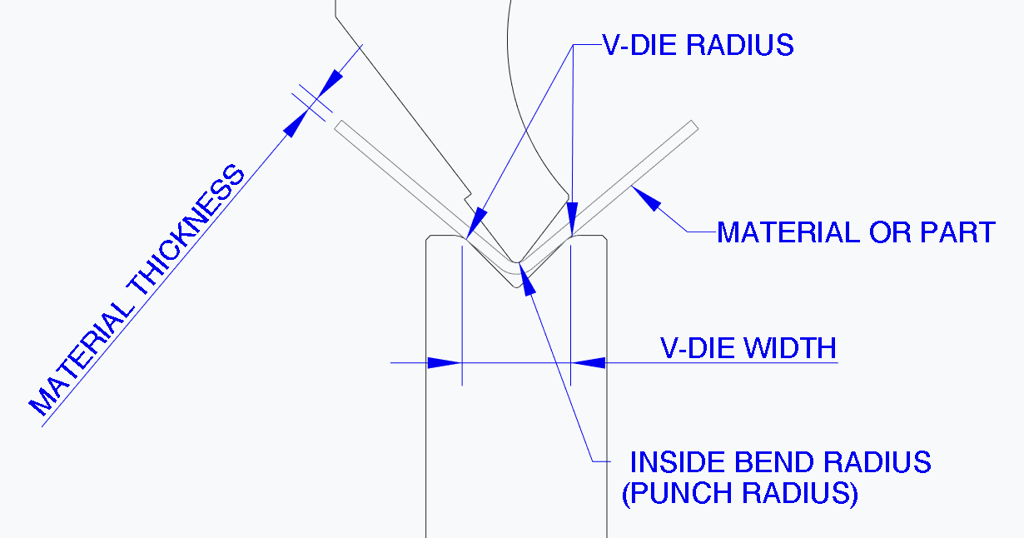
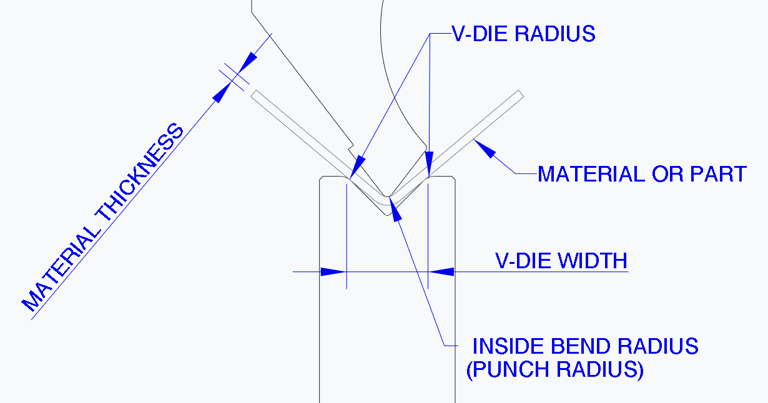
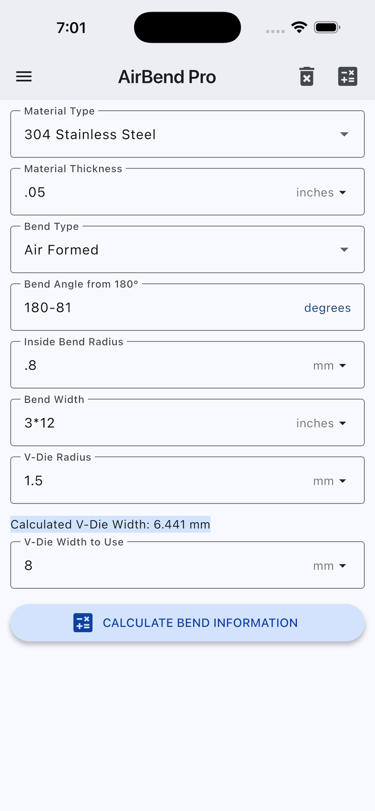
Airbend Pro is a tool that will perform calculations for precision sheet metal bending and creating flat layouts. There are many apps for calculating standard sheet metal bending information, but what makes Airbend Pro unique is that it will provide bending calculations specifically for air bending. Airbend Pro will also provide the standard bend information if the "Bend Type" is set to "Bottom Formed".
Inputs:
Material Type
Material Thickness
Bend Type
Bend Angle
Inside Bend Radius
Bend Width
V-Die Radius
V-Die Width (It will provide the calculated v-die width on the entry screen to help determine the proper V-Die Width)
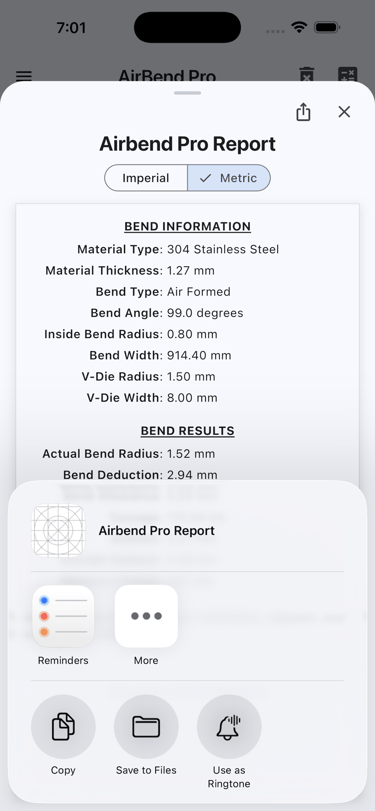
Outputs:
Actual Bend Radius
Bend Deduction
Bend Allowance
Tonnage
Setback
Outside Setback
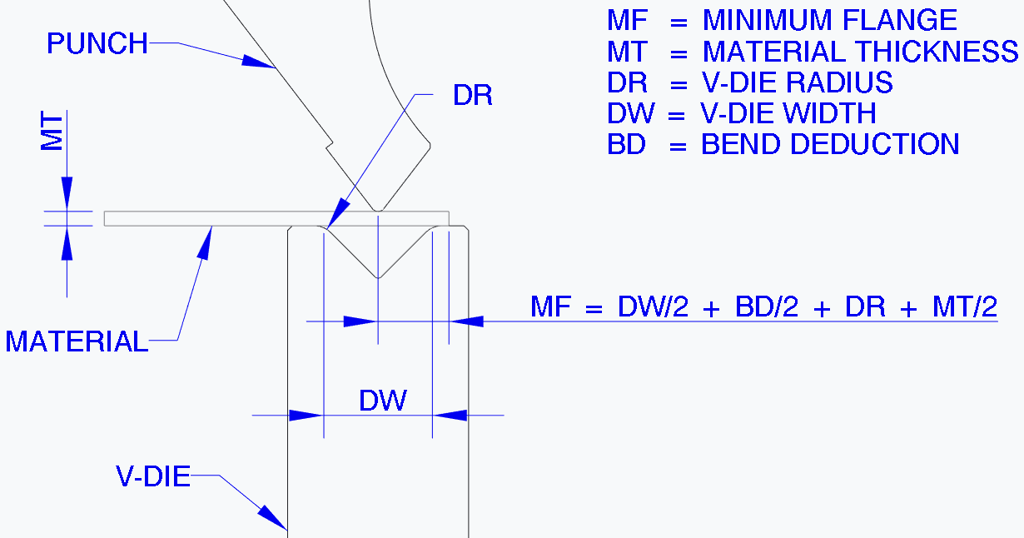
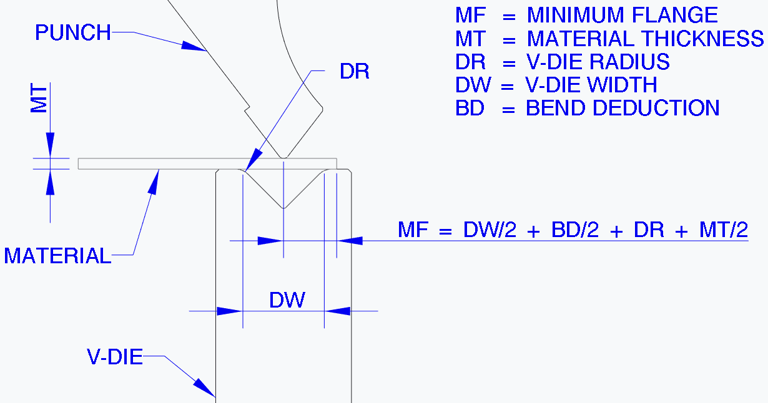
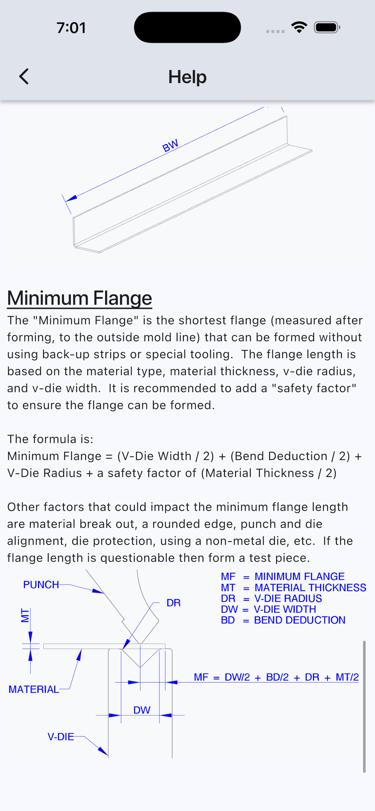
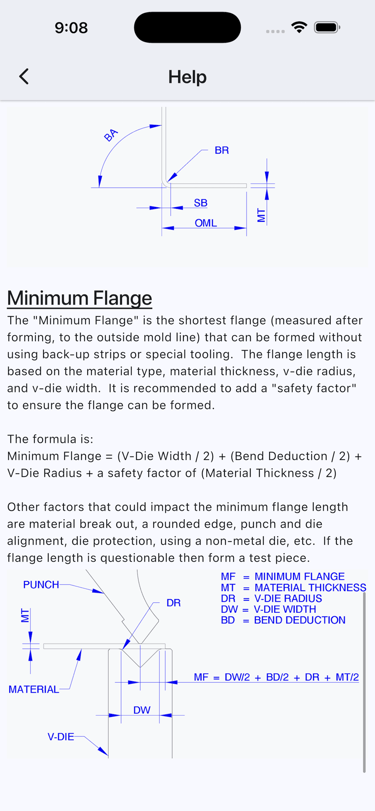
Minimum Flange
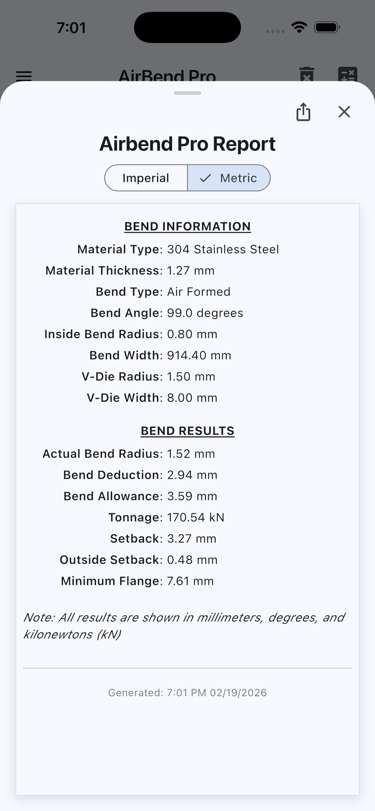
The results can be shared from the output screen.
Math formulas are allowed on the entry screen.
Example:
2.5 millimeters to decimal inches (2.5/25.4)
3 feet to decimal inches (3x12)
3/16" to decimal inches (3/16)
If you purchase Airbend Pro and supply proof, then you can get Airbend Pro for Windows for free. Just contact me at support@tbdtools.com
Streamline your precision sheet metal bending calculations




★★★★★
This is likely the best application available for quick sheet metal bending calculations. As a professional career machine programmer, I refer to it often and have had no inaccuracies or performance anomalies to note. Worth well more than the asking price. Highly recommend!
M.E. April 24, 2026 Google Play Review
Testimonials
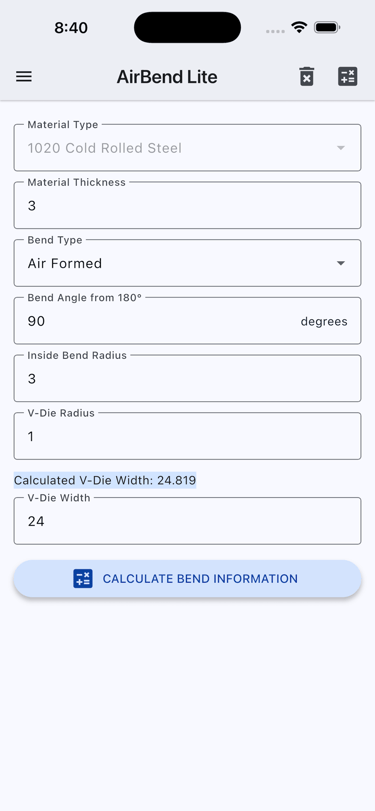
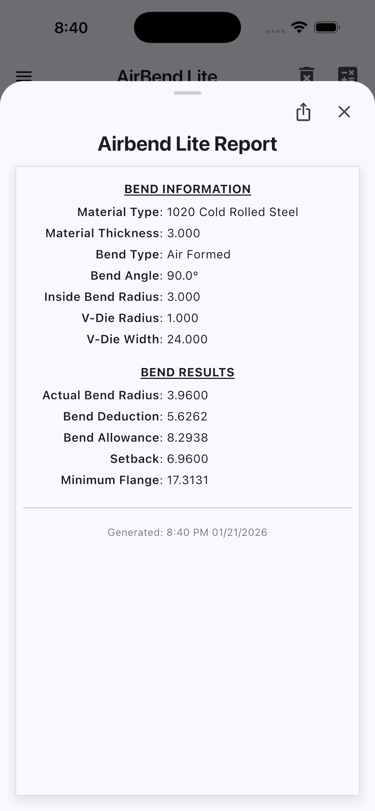
Airbend Lite
The Lite version is limited in that it only has one material type (cold rolled steel), only allows for 90° bends, and does not calculate bending force tonnage. It is "unit less" meaning that as long as all entries are the same unit then the results will match.
There is no lite version available for Android devices (even though it is developed) because releasing a new app on Google Play is not easy. Must have 12 testers for 14 days of testing and then hope it passes Google's review. Takes at least three weeks minimum and I don't know 12 people that have android phones so I had to pay a test group. To release an app on Apple App Store only takes one day and doesn't require a team of testers.
If you want Airbend Lite for Android, then contact me and I will send you a download link for the APK.
The app that serves as an introduction to Airbend Pro


Other Apps
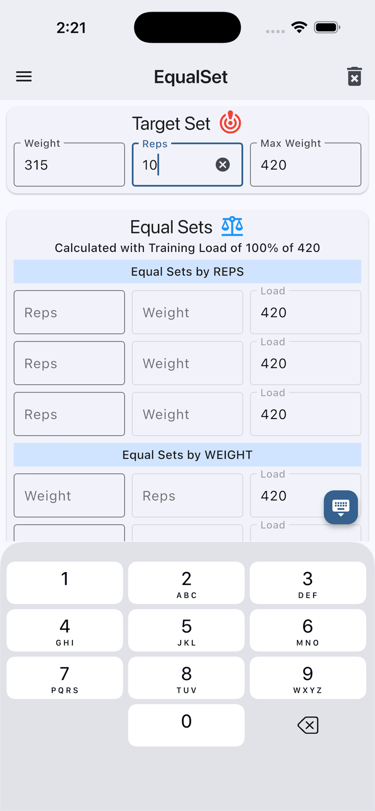
Equalset is designed to calculate a target set based on the precise number of repetitions or weight that corresponds to your one-rep max. from the 1RM, the app will calculate sets that are equal to the 1RM, or Training Load percentage. This ensures that your workouts are tailored to your individual strength level, optimizing your training efficiency and effectiveness. With Equalset, you can confidently push your limits and track your progress over time.
Usage
Target Set:
1.) Either enter the Target Set -> One Rep Max or enter the set that will be used to calculate the One Rep Max.
a.) If the Weight and Reps are entered in the Target Set, the One Rep Max will be calculated.
b.) If the One Rep Max is entered directly in the Target Set, the Weight will equal the One Rep Max, and the Reps will equal 1.
Equal Sets:
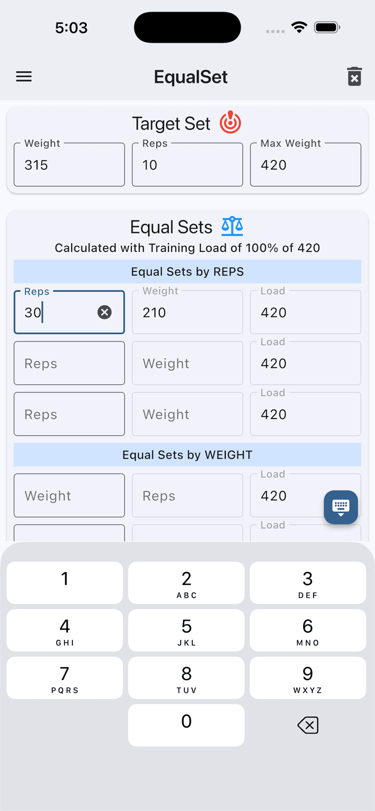
1.) If "Reps" are entered, the "Weight" will be calculated to use to equal the Equal Sets -> Load.
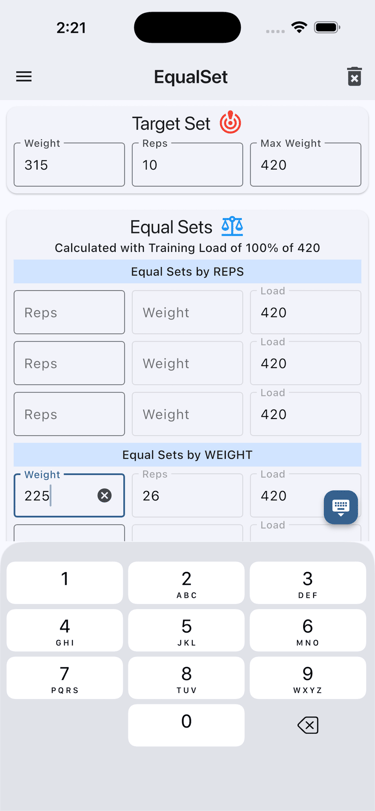
2.) If "Weight" is entered, then the "Reps" will be calculated that are needed to equal the Equal Sets -> Load.
a.) If the Weight is more than the Equal Sets -> Load, or the calculated Reps is less than 1 or more than 99, the Reps will show "NA". The Reps will display a valid number after the Weight has been adjusted.
Training Load Chart:
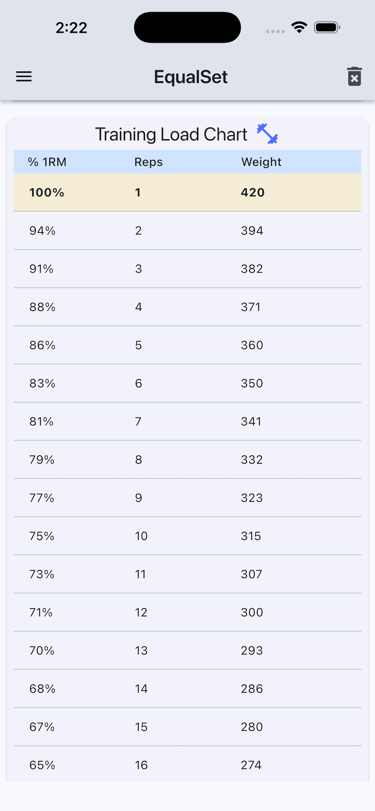
1.) After the "Target Set" is entered and the 1RM is calculated, a "Training Load Chart" will be generated in the bottom part of the screen.
2.) The "Training Load Chart" will display the Percent (% 1RM), Reps, and Weight of the Target Set -> One Rep Max.
a.) The table will display the % 1RM, Reps, and Weight for up to 20 Reps, or 60% of the Training Load.
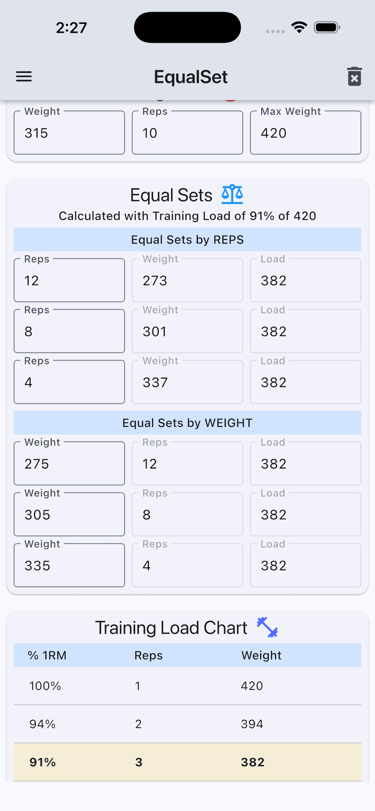
3.) If you are wanting to do a workout less than 100% (e.g. ~91%) then you would select the row in the Training Load Chart that contains 91% in the % 1RM.
a.) Click on the 91% row and it set the Weight in that row to the Equal Sets -> Load and and recalculate the the calculated Equal Sets (Reps and Weight).
Example Usage:
You are going to do a bench press workout but don't want to do a max workout. You decide to make it a lite day and do a 70% workout.
You know your max is 420, so you enter 420 in the Target Set -> One Rep Max.
You look up the the row in the Training Load Chart for a % 1RM of 70% and select the row.
The weight of 293 for the selected row will appear in the Equal Sets -> Load and the Equal Sets are recalculated (Reps and Weight)
If you are doing 20 Reps or less, you could just use the updated Training Load Chart to see the Weight and Reps you need to lift to equal the Target Set -> One Rep Max, but if you want to do more than 20 reps, or you want to use a weight that is not listed in the Training Load Chart, you would enter those values in the Equal Sets fields to calculate an equivalent set.
For example, you want to do a set with 30 Reps. Enter 30 into Equal Sets -> Reps and it will calculate a Weight of 147. Well that is an odd weight and you know that you have the correct bar and plate combinations for 150, or the machine has a setting for 150, so enter 150 into the Equal Sets -> Weight and it will tell you that you need to do 29 Reps to equal the Equal Sets -> Load of 293, which in turn is 70% of the Target Set -> One Rep Max.
I have used this approach (equal sets) along with lifting to failure for many years and I am still getting stronger!
EqualSet - Smart 1RM & Training Load Calculator
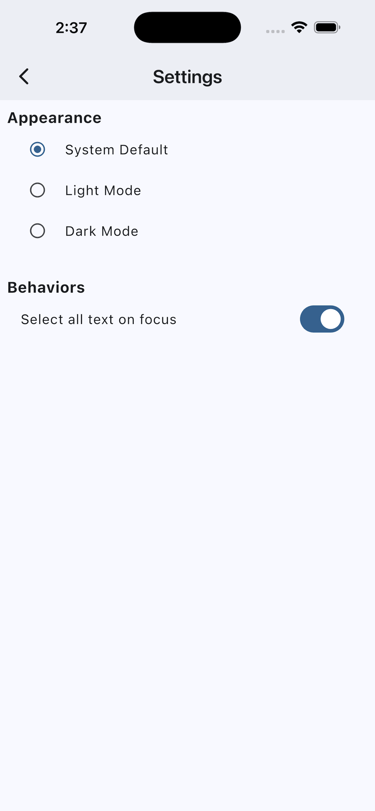


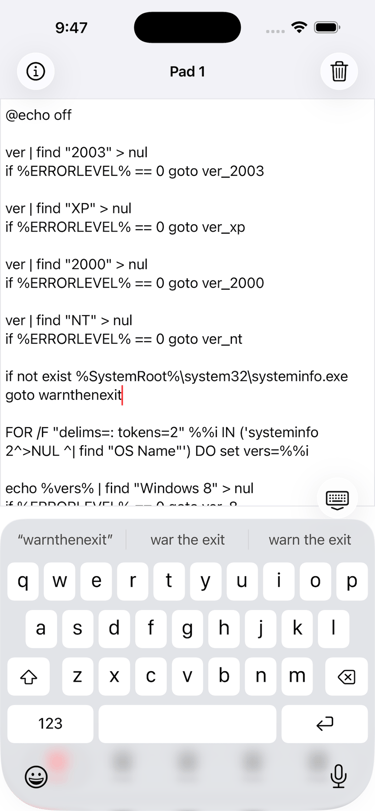
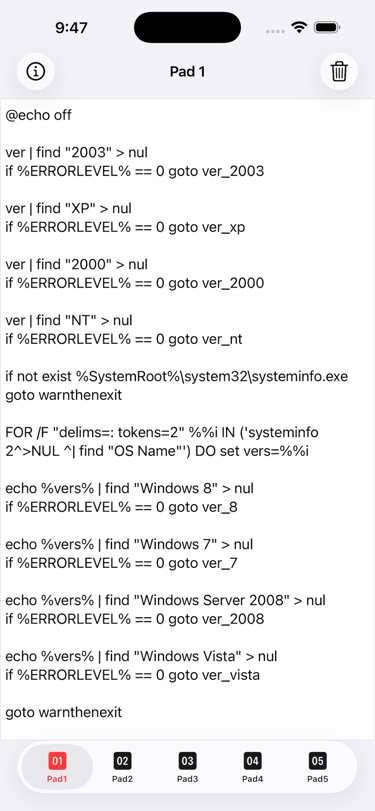
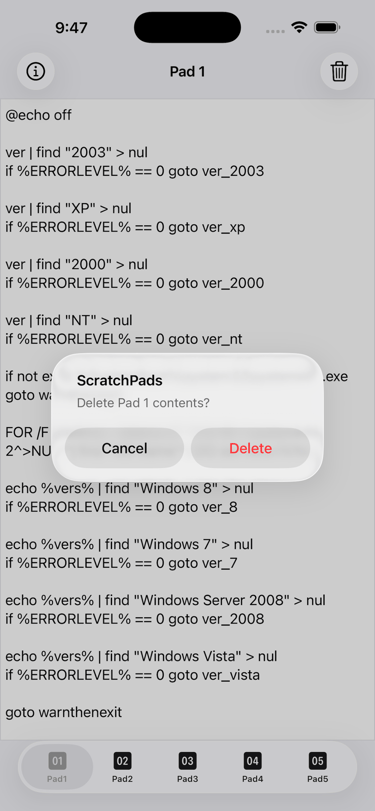
Five instant-save pads for when you need to jot something down right now. No folders, no syncing delays—just open and type. Delete all text on a Pad with two taps. The last active Pad tab is saved when the app is closed, and restored the next time the app is reopened.
ScratchPads - The Simplest Way to Take Quick Notes
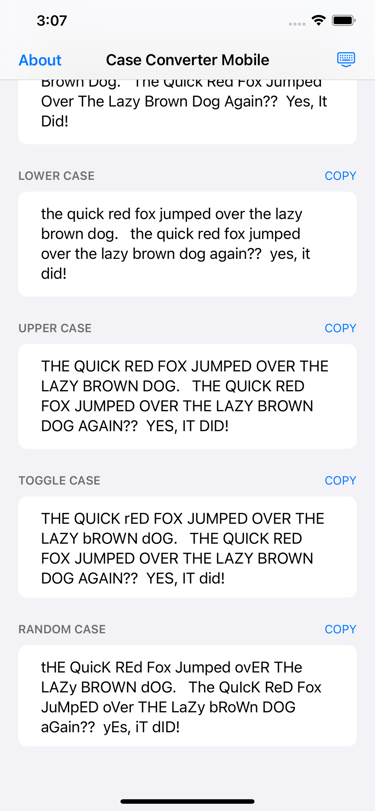
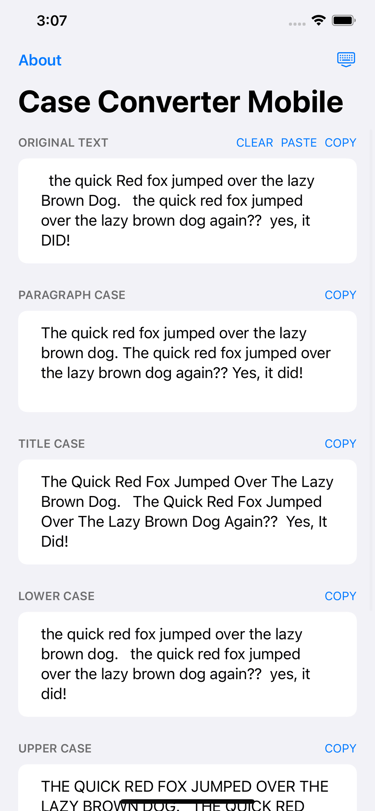
Quickly reformat clipboard text into Sentence Case, Title Case, or UPPERCASE. A essential utility for developers and writers.
cCm - Case Coverter Mobile - Instant Text Transformation